










How to create multiple email without phone number is a common challenge as providers like Google enforce stricter verification systems. Despite these limitations, there are still effective methods to register multiple accounts while minimizing phone verification requirements. This guide covers practical techniques, including mobile-based signup, browser strategies, and account management tips, helping users scale efficiently for business or personal needs without unnecessary restrictions.
Creating multiple Gmail accounts without a phone number is possible by leveraging specific signup routes that Google's automated systems trust more than others. However, these methods are not guaranteed, as Google frequently updates its security to prevent bot-like behavior.
1. How Many Gmail Accounts Can I Create Without Phone Number?
Google does not publicly state a strict limit on how many Gmail accounts you can create without a phone number. However, users typically report being able to skip phone verification for up to 2-3 accounts before Google’s anti-abuse systems trigger a mandatory verification prompt.
2. Top 4 Methods to Create Multiple Gmail Accounts Without Phone Verification
Learn how to create multiple email accounts without phone verification using simple methods like mobile settings, browser tricks, and smart signup techniques while minimizing verification requirements and restrictions.
2.1 Signup Through Mobile Device Settings
This is considered the most reliable method because accounts created through a phone's native settings carry trust signals like a unique device ID and carrier information.
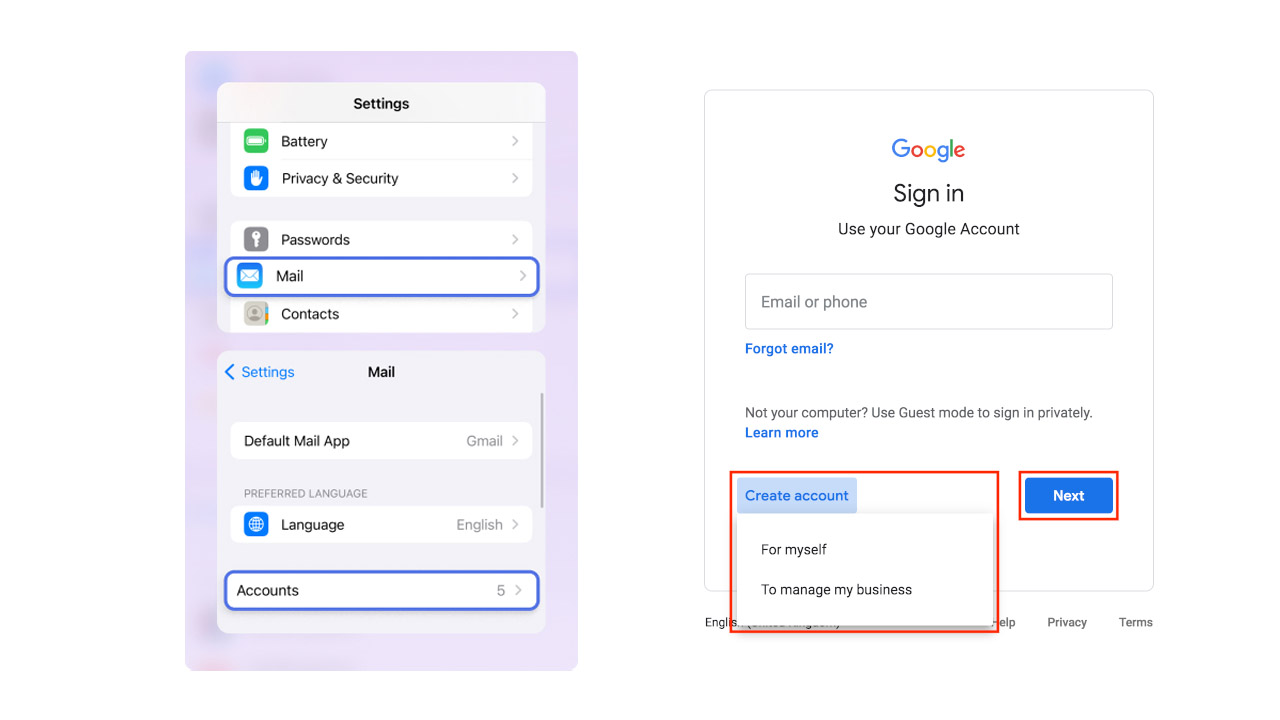
- Android: Go to Settings > Accounts > Add Account > Google. Tap Create Account and follow the prompts. The phone number field often presents a "Skip" button here.
- iOS: Go to Settings > Mail > Accounts > Add Account > Google. Choose Create Account and look for the option to skip the phone number.
2.2 The Under 15 Birth Year Method
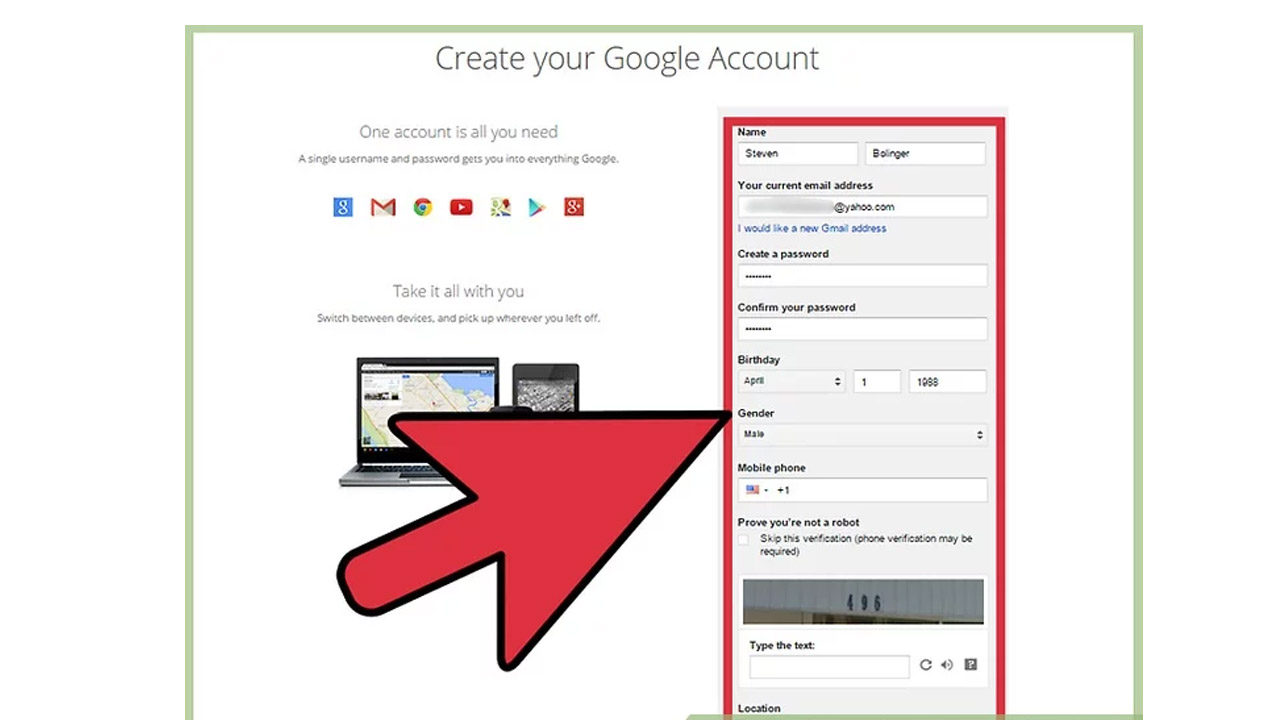
Google often skips phone verification for users under 15 to comply with child privacy laws (like COPPA in the US).
- When prompted for your birthdate, choose a year that makes the user approximately 14 years old (e.g., 2012 for the current year 2026).
- Note: This may result in a supervised account experience with some restricted features.
2.3 Browser-Based Techniques
If you must use a desktop, certain browser configurations can help you avoid being flagged as a spammer:
- Use Incognito Mode: Opening a private window provides a clean slate without cookies or history that might link you to previous signups.
- Switch Browsers: If Chrome is requiring a number, try Microsoft Edge, Firefox, or Opera Mini.
- Clear Data: Always clear your browser cache and cookies between different account creation attempts.
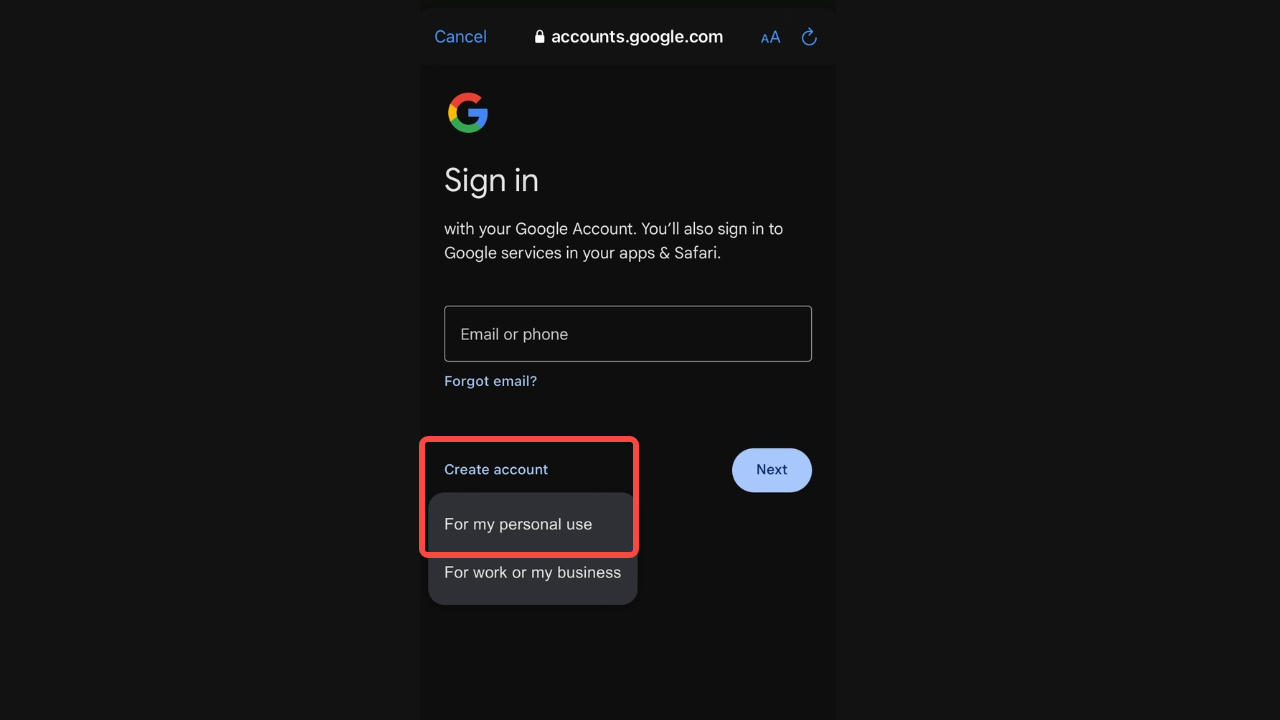
3.4 Use Advanced Antidetect Tools
For users needing a larger volume of accounts, professional antidetect browsers create isolated profiles that mimic different devices and locations.
- Tools: Multilogin or GoLogin allow you to manage unique digital fingerprints (OS, fonts, screen resolution) for each account.
- Residential Proxies: Pair these browsers with a residential proxy to give each account a fresh, non-datacenter IP address.
3. Get High-Quality Gmail Accounts Effortlessly with MegaAcc
Getting multiple Gmail accounts without a phone number can be a tedious game of trial and error. Between IP blocks and instant account flagging, the manual "hacks" often cost more in time than they save in utility.
MegaAcc bridges this gap by providing a professional, reliable source for bulk Gmail accounts that bypass the headache of phone verification. Whether you are scaling a marketing agency, managing a fleet of social profiles, or running automated outreach, MegaAcc delivers high-quality accounts designed for longevity.
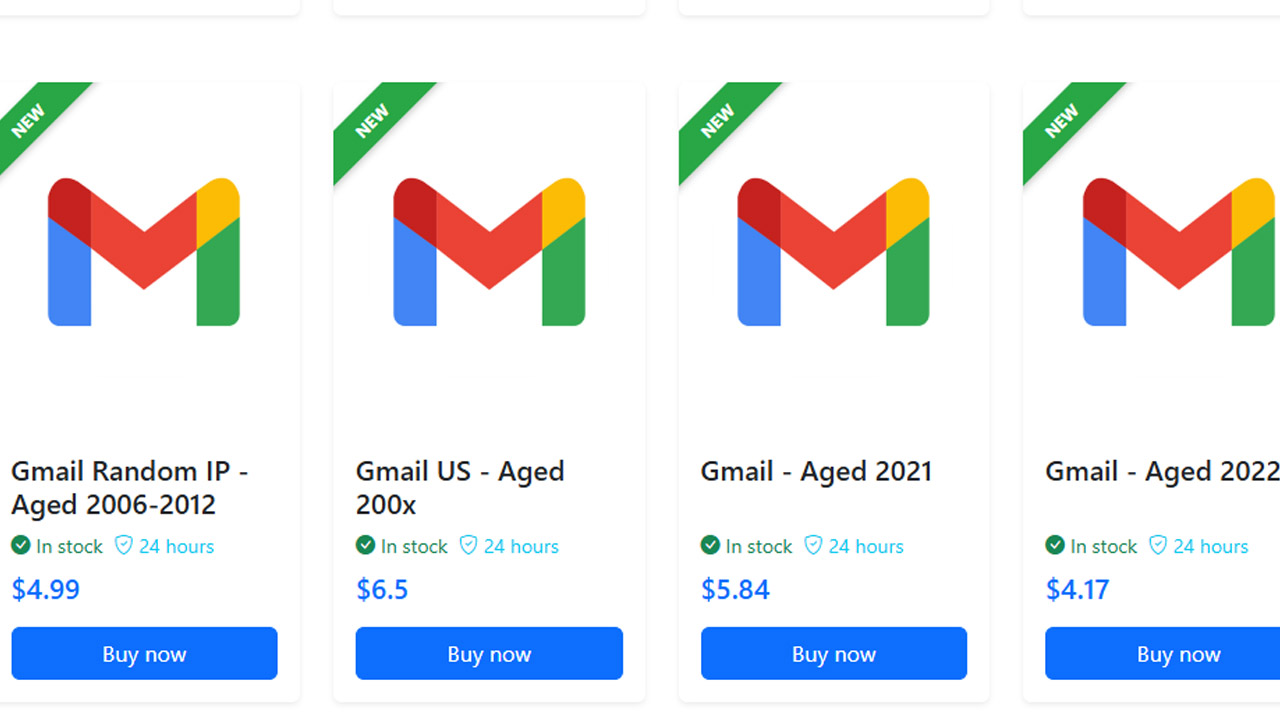
Why Choose MegaAcc for Your Gmail Needs?
- Verified & Reliable: Every account is created using unique fingerprints and high-quality residential IPs to ensure they don't get flagged as "suspicious" the moment you log in.
- Skip the Verification Loop: Stop worrying about how to make multiple Gmail accounts without phone verification. Our accounts come ready to use, so you can focus on your business, not on finding spare SIM cards.
- Instant Delivery: Time is money. Once you complete your purchase, your account credentials are delivered instantly to your dashboard.
- Bulk Scalability: Whether you need a handful of accounts for personal use or thousands for a global marketing campaign, MegaAcc’s infrastructure can handle your volume.
- Aged Account: We offer aged Gmail accounts that have a higher "trust score" with Google, making them perfect for sensitive tasks like Google Ads or heavy SMTP sending.
>>> Ready to scale without the stress? Browse our Gmail category page now to find the perfect account package for your project.
4. Advanced Tips for Managing Multiple Google Accounts
To manage a large digital footprint, learning how to create multiple Gmail accounts without phone number verification is essential for privacy and avoiding automated blocks from security systems.
4.1 Space Out Your Sign-Ups
Timing is everything when bypassing verification. If you try to register several addresses back-to-back, Google’s security AI will flag your activity as bot-like and demand a phone number. Instead, wait at least 24 hours between each new account creation to appear like a standard organic user.
4.2 Switch Browsers and Environments
Google tracks your digital fingerprint, and using Chrome often makes it easier for them to link your identities. To stay under the radar, use "hardened" browsers like Firefox or Brave in private mode.
4.3 Leverage Mobile Connectivity
Desktop Wi-Fi connections often have static IP addresses that are easily tracked. By using a smartphone and switching to mobile data, you get assigned a new IP address from your carrier's pool.
>>> Read more: How to Create Free Email Without Phone Number?
5. Frequently Asked Questions (FAQ)
5.1 Why does Google require a phone number for some accounts and not others?
Google uses a "risk-based" assessment. If your IP address has been used to create multiple accounts recently, or if your browser has cookies from previously flagged accounts, Google will mandate a phone number to prove you aren't a bot. High-quality accounts, like those found in the MegaAcc Gmail Category, are created under unique parameters to avoid these triggers.
5.2 Can I use one phone number for multiple Gmail accounts?
Yes, you can typically link one phone number to approximately 5 to 10 Gmail accounts before Google flags the number as "used too many times." If you hit this limit, you will need a professional solution to acquire more accounts without needing new SIM cards.
5.3 Is it legal to buy Gmail accounts?
Buying accounts is a common practice for businesses and marketers who need to scale operations quickly. While it may go against a provider's Terms of Service to create them in bulk yourself, using a reputable provider like MegaAcc ensures you are getting high-quality, stable accounts that are "warmed up" and ready for professional use.
Instead of spending hours testing different methods, you can save time by using ready-to-use accounts here:
https://megaacc.com/Identity/Account/Login
Final Words
In summary, understanding how to create multiple email without phone number requires a balance between technical methods and cautious behavior. While no method guarantees complete avoidance of verification, applying best practices such as spacing registrations, using trusted environments, and managing digital fingerprints can significantly improve success rates. For long-term scalability, combining these strategies with reliable account management ensures stability, efficiency, and reduced risk of account restrictions.
________________________
Quick Access
- Sign In: https://megaacc.com/Identity/Account/Login
- Register: https://megaacc.com/Identity/Account/Register
- Product Categories: https://megaacc.com/
- Telegram Support: https://t.me/megaacc_bot
- Email Support: support@megaacc.com