









.jpg)
Choosing the right email platform is a foundational decision for your digital life, often leading users to ask: Gmail or Outlook which is better for long-term productivity? While both platforms dominate the market, they cater to very different philosophies. Gmail offers a sleek, cloud-native experience perfect for rapid collaboration, while Outlook provides a robust, enterprise-grade environment for power users. This guide breaks down their core differences in organization, security, and integration to help you choose the right tool for your specific goals.
1. Is Gmail Better Than Outlook? Key Feature Comparison
When deciding Gmail or Outlook which is better, the answer lies in their features. Both platforms offer elite tools, but their approach to productivity and user experience differs significantly for users.
1.1 User Interface and Ease of Use
Gmail is celebrated for its clean, minimalist aesthetic that prioritizes speed and a shallow learning curve. In contrast, Outlook utilizes a traditional ribbon interface, offering a dense array of visible tools that power users often prefer for complex management tasks.
1.2 Organization: Labels vs. Folders
The two services handle filing differently; Gmail uses "Labels," allowing a single email to live in multiple categories simultaneously. Outlook sticks to a classic "Folder" system, which provides a rigid, familiar structure for those moving from traditional desktop software.
1.3 Integration and Ecosystem
Gmail is the heart of the Google Workspace, offering flawless synchronization with Drive, Docs, and Meet. Outlook serves as the gateway to Microsoft 365, providing deep, native integration with industry standards like Word, Excel, and Teams for seamless professional workflows.
2. Is Gmail or Outlook Better For Business?
Choosing between Gmail or Outlook which is better for business depends on your company's ecosystem. Gmail offers a modern, fast interface ideal for cloud-native teams, while Outlook provides robust, feature-rich organization suitable for large enterprises or heavy Microsoft 365 users.
2.1 Gmail: Best for Speed and Cloud Collaboration
Gmail is widely regarded for its user-friendly interface, powerful search capabilities, and seamless integration with Google Workspace tools like Drive, Docs, and Calendar.
It is designed for speed and is favored by smaller businesses or teams that prioritize a cloud-native approach with features like Smart Reply. It is generally easier to use, though its folder/label structure is less complex than Outlook's.
2.2 Outlook: Ideal for Enterprise and Customization
Microsoft Outlook is often considered better for larger organizations requiring complex workflows, deep Microsoft 365 integration (Teams, Excel), and highly robust organizational tools like nested folders and advanced rules.
It is known for having a "serious businessperson vibe," offering superior task management and extensive security, governance, and compliance controls.
>>> Looking to scale your digital operations without the hassle? Explore our premium account solutions to find the perfect foundation for your business communication.
3. Security and Privacy: Which Is More Secure Gmail Or Outlook?
Deciding which is safer Gmail or Outlook depends on your needs, as Gmail offers better default protection, while Outlook excels in corporate, regulated, and advanced threat-protection environments.
3.1 Gmail Security and Privacy
Gmail is widely considered safer "out-of-the-box" for average users, offering robust phishing and spam detection. It features the Advanced Protection Program for high-risk accounts and blocks 99.9% of spam and malware automatically, utilizing AI to adapt to new threats.
However, Google is an ad-driven company, which raises some privacy concerns about how data is used to provide service insights.
3.2 Outlook Security and Privacy
Outlook provides stronger, more granular security features for enterprise users, especially when integrated with Microsoft 365. It offers Advanced Threat Protection, which is excellent for regulated industries requiring strict data governance.
While its default settings are slightly less protective than Gmail's, the enterprise-grade tools, such as Information Rights Management and superior control over email forwarding, make it the "safer" choice for corporate environments requiring audit trails.
3.3 Which is Better for Personal vs. Business Use
For personal use, Gmail is often preferred for its user-friendly interface and strong, automated security. For businesses, particularly those in finance or healthcare, Outlook is generally superior due to its deep integration with corporate compliance tools and superior control over data leakage.
Both platforms fall short in providing default end-to-end encryption for the average user, requiring manual setup for maximum privacy.
4. Why You Should Choose MegaAcc for Your Gmail Account Needs
When deciding is Gmail or Outlook better for your professional workflow, the reliability of your accounts is just as important as the platform itself. MegaAcc bridges the gap by providing high-performance accounts designed for scale and security.
4.1 The MegaAcc Advantage in Professional Email Management
When the question of "which is better" comes down to immediate accessibility and reliability, Megaacc.com provides the edge your business needs. We offer high-quality, aged, and verified Gmail accounts that ensure your marketing campaigns and professional communications never hit a roadblock.
4.2 Unmatched Trust, Reliability, and Support
In the digital space, security and support are non-negotiable. MegaAcc stands behind a rigorous verification process that ensures every account is secure, stable, and ready for immediate deployment. When you choose us, you aren't just buying an account; you're gaining a partner committed to your uptime.
4.3 Superior Product Quality for Bulk Requirements
Professionals consistently choose MegaAcc for our bulk account needs because our products are designed to perform. Our accounts allow you to bypass frustrating phone verification hurdles and maintain significantly higher delivery rates compared to standard accounts.
Whether you are scaling an outreach program or managing multiple client streams, our aged Gmail accounts provide the reputation and longevity required for high-stakes digital environments.
4.4 Seamless Integration with Your Existing Tech Stack
Efficiency is key to a successful workflow, and our accounts are optimized to work perfectly within any modern marketing or CRM toolset. From automated email sequences to complex CRM integrations, MegaAcc accounts sync effortlessly with your preferred software.
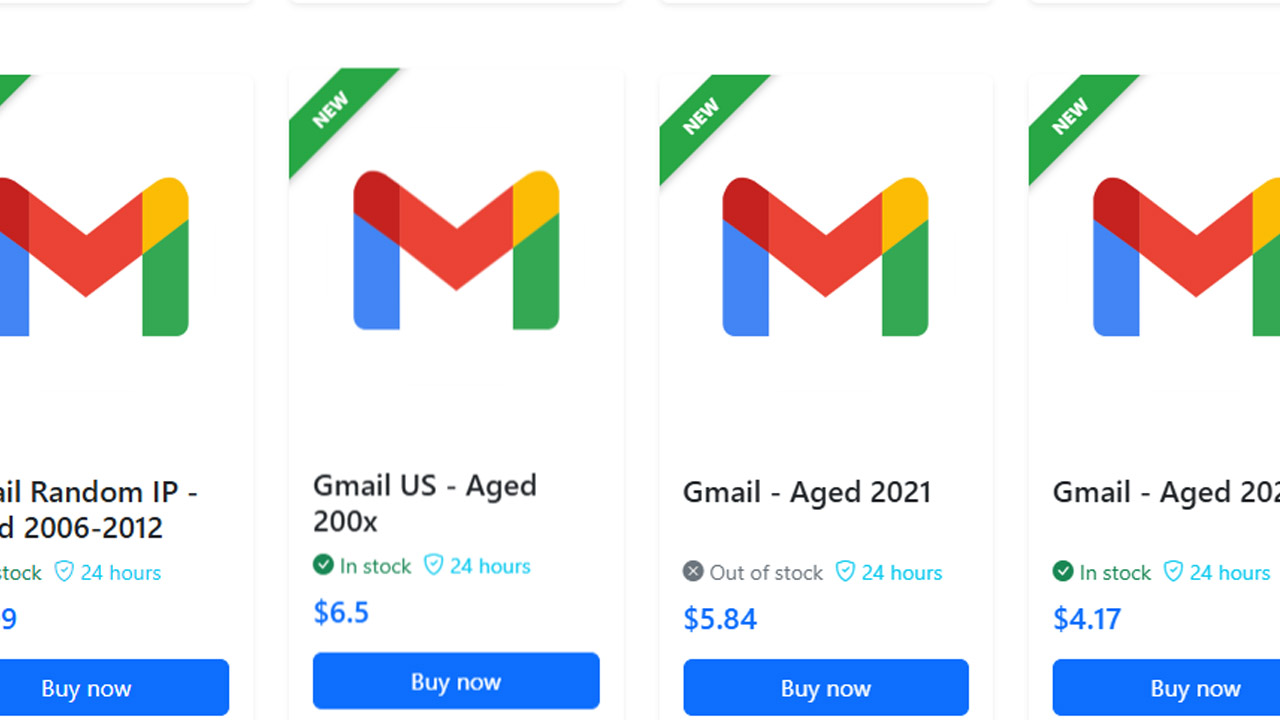
>>> Ready to Scale? Don't let account restrictions hold back your growth. Login to MegaAcc today and browse our selection of high-authority verified accounts.
5. Frequently Asked Questions: Gmail vs. Outlook
5.1 Which email is better, Gmail or Outlook for personal use?
For personal use, the choice usually comes down to your ecosystem. If you use an Android phone and Google Drive, Gmail is the natural winner. If you are a Windows power user who prefers a traditional folder structure, Outlook’s free web version is a robust alternative.
5.2 Is Gmail or Outlook better for privacy?
Microsoft (Outlook) generally positions itself as a more "privacy-first" choice for business, as Google’s primary revenue model involves data-driven advertising. However, in paid versions (Google Workspace vs. Microsoft 365), both providers guarantee that your data is not scanned for advertising purposes.
5.3 Can I use Gmail for my Outlook account (and vice versa)?
Yes, both platforms allow for cross-platform integration. You can add your Outlook.com email to the Gmail app on mobile, or sync your Gmail account to the Outlook desktop client using IMAP settings.
5.4 Why do some users say Gmail is better than Outlook?
Users who prefer Gmail typically cite its superior search capabilities, undo send feature, and the simplicity of its interface. It feels more modern and lightweight"compared to the feature-heavy ribbon interface of Outlook.
>>> Read more: What Are the Best Free Email Accounts? Top Providers Compared
Final Words
Ultimately, determining Gmail or Outlook which is better depends on your existing ecosystem and organizational habits. Gmail shines for those seeking simplicity and lightning-fast search within the Google Workspace. Meanwhile, Outlook remains the gold standard for complex corporate environments requiring deep Microsoft 365 integration. By assessing your need for either flexible labels or structured folders, you can select the platform that best empowers your daily communication and professional growth.
Maximize Your Communication Potential Whether you prioritize Gmail’s agility or Outlook’s structure, success begins with a stable foundation. Don't let account setup bottlenecks slow your momentum.
>>> Get Started with Premium Verified Accounts – Secure your professional presence today. Log in to Your Dashboard – Manage your assets and scale your outreach with ease.
________________________
Quick Access
- Sign In: https://megaacc.com/Identity/Account/Login
- Register: https://megaacc.com/Identity/Account/Register
- Product Categories: https://megaacc.com/
- Telegram Support: https://t.me/megaacc_bot
- Email Support: support@megaacc.com